🚀 Getting Started
GammaBaba turns raw US equity options data into visual tools you can actually read. This 5-minute tour covers the three things you'll use on day one: the GEX Heatmap, the Chart View, and the Live Flow.
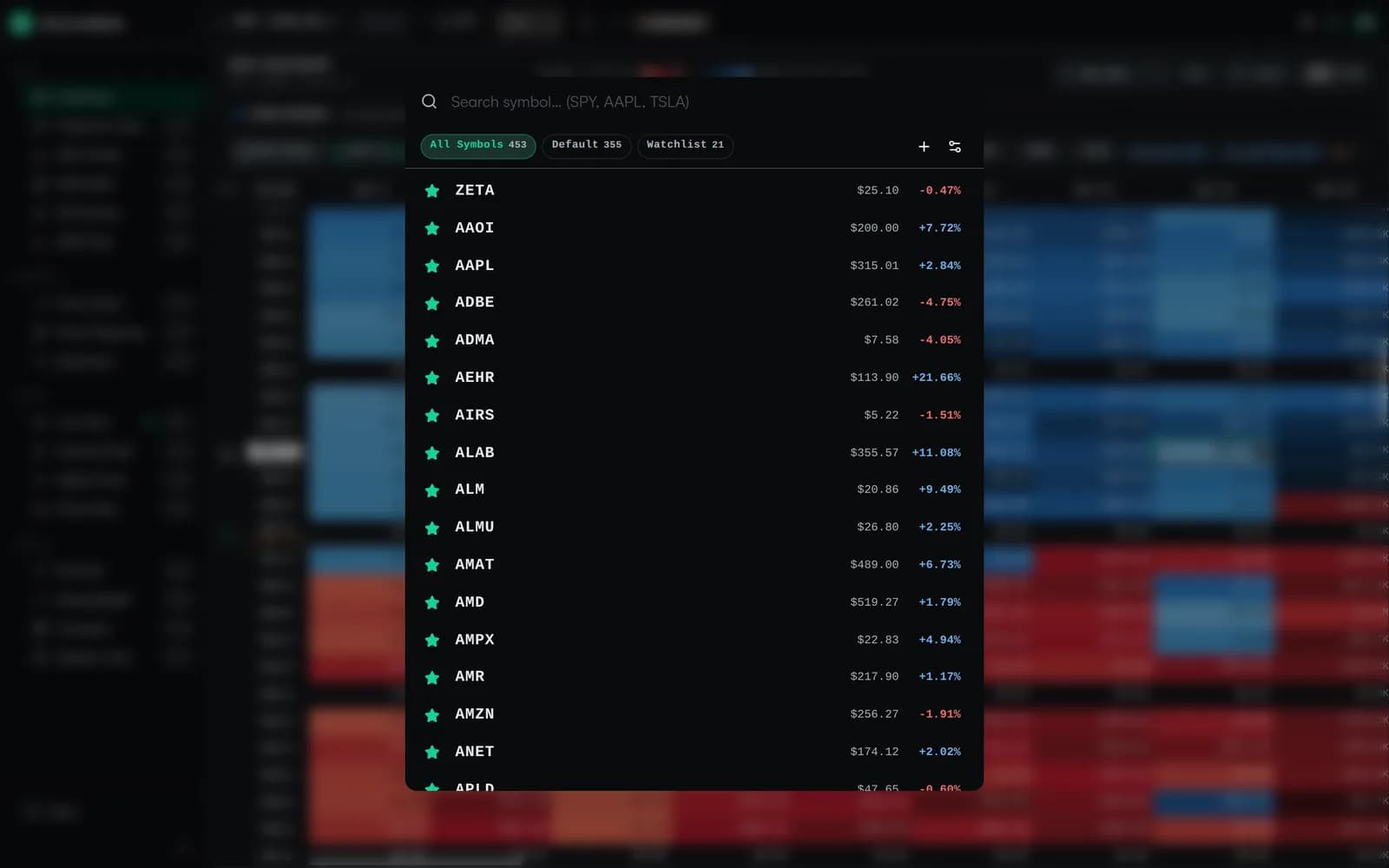
1. Pick a ticker#
Any optionable US stock or ETF works — SPY, QQQ, AAPL, TSLA, NVDA, AMD, and the rest of the US options universe. Type the symbol in the top search box and the heatmap loads. Open the command palette to jump to any ticker by symbol or company name without leaving the keyboard.
Trading a recurring set of names? Save them to a watchlist. You can keep several watchlists — for example one for index ETFs and one for high-gamma single names — and switch between them in a click so your board is always one keystroke away.
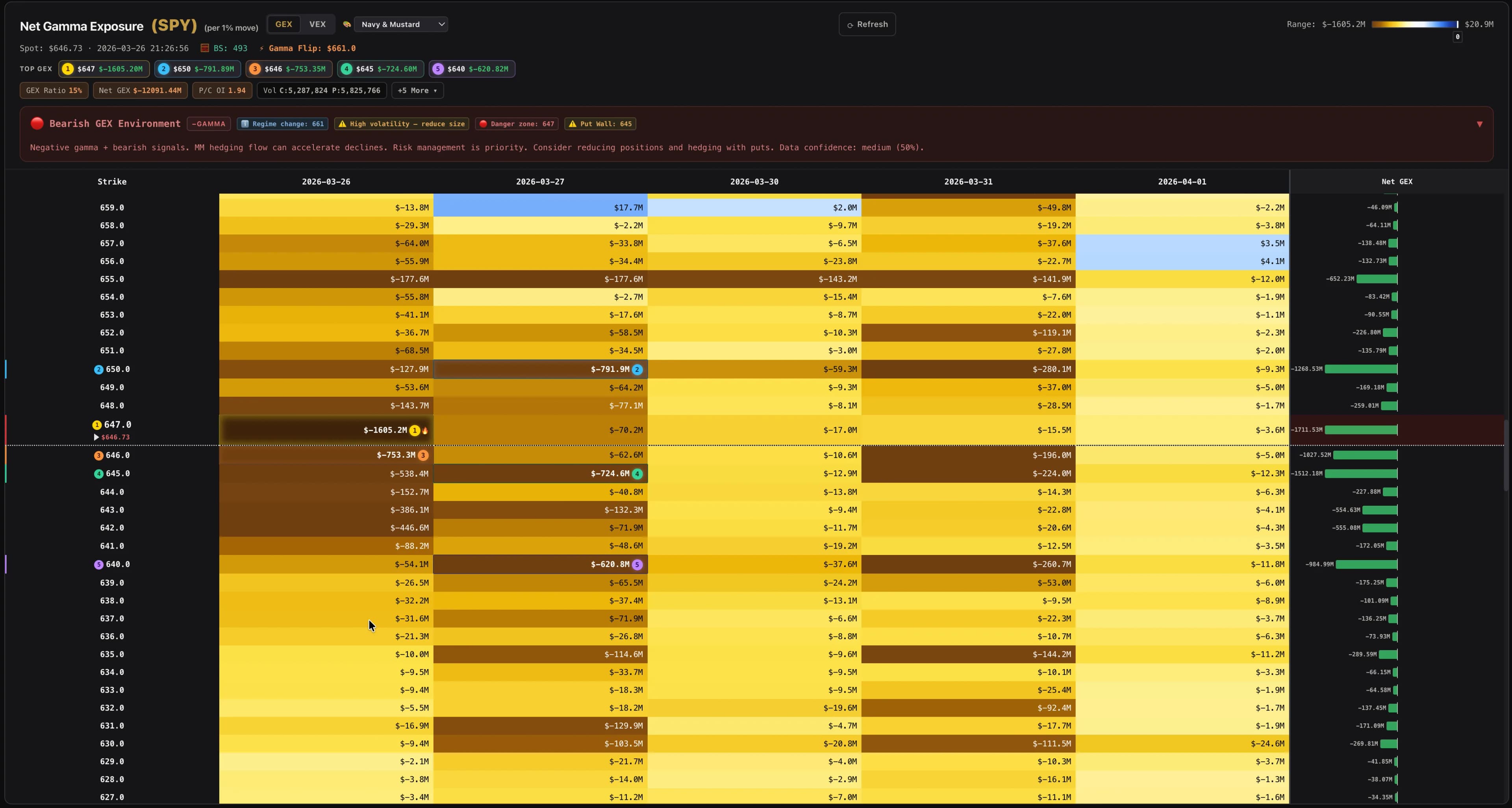
2. Read the heatmap#
Rows are strike prices, columns are expirations, colors encode gamma exposure. Blue cells are call walls (price tends to get drawn toward them), red cells are put walls (price often bounces off them).
3. Switch views#
Open the same ticker in the Chart View to see those GEX levels overlaid on candlesticks, the 3D Surface to explore IV across strikes and expirations, or the Multi Heatmap view to line up multiple tickers side-by-side.
4. Track positioning over time#
Enable auto-refresh (choose 1m / 5m / 15m / 1h / 4h) and GammaBaba will snapshot the heatmap at that interval. Click any cell for the time-shifted comparison and see how gamma moved.