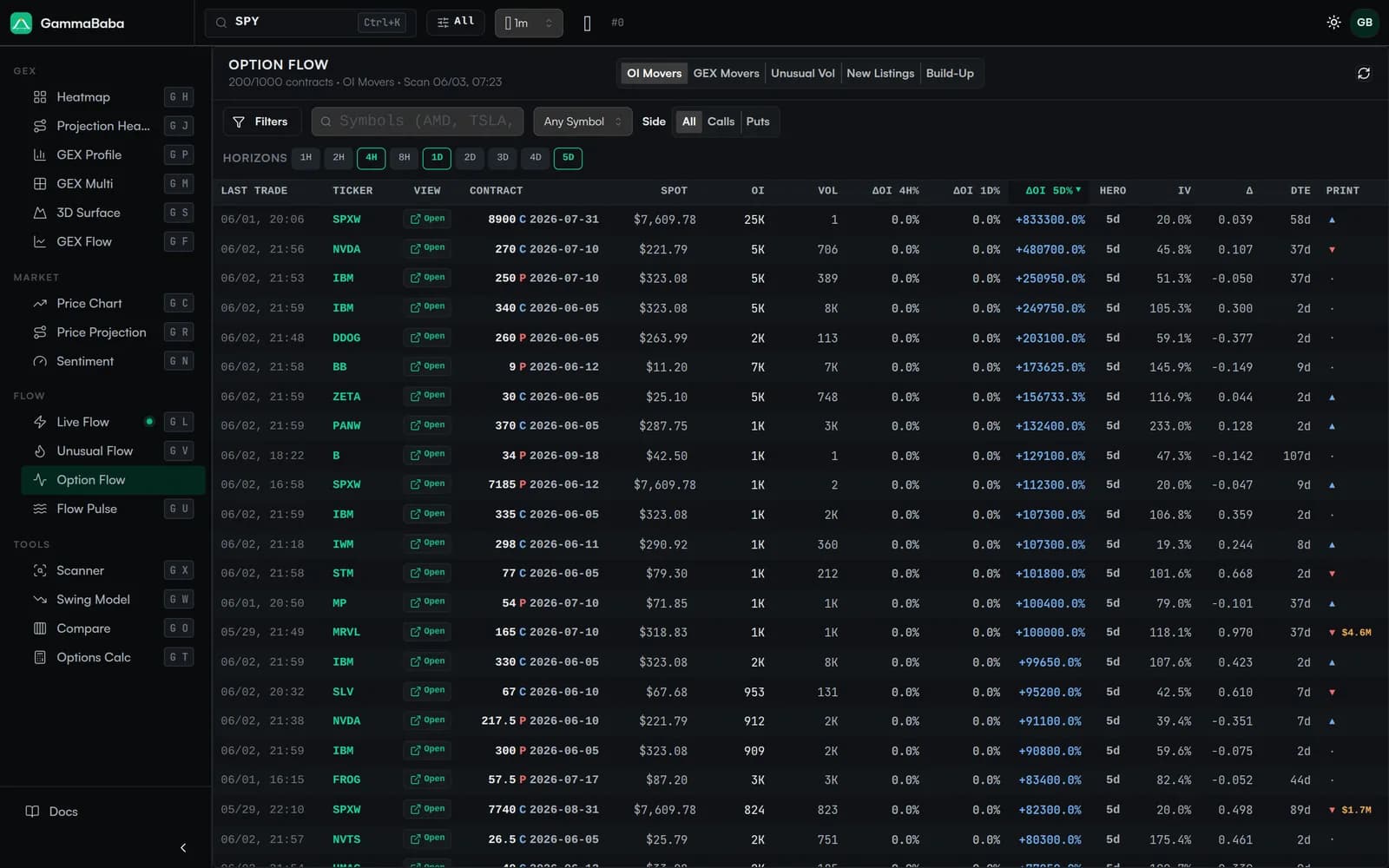
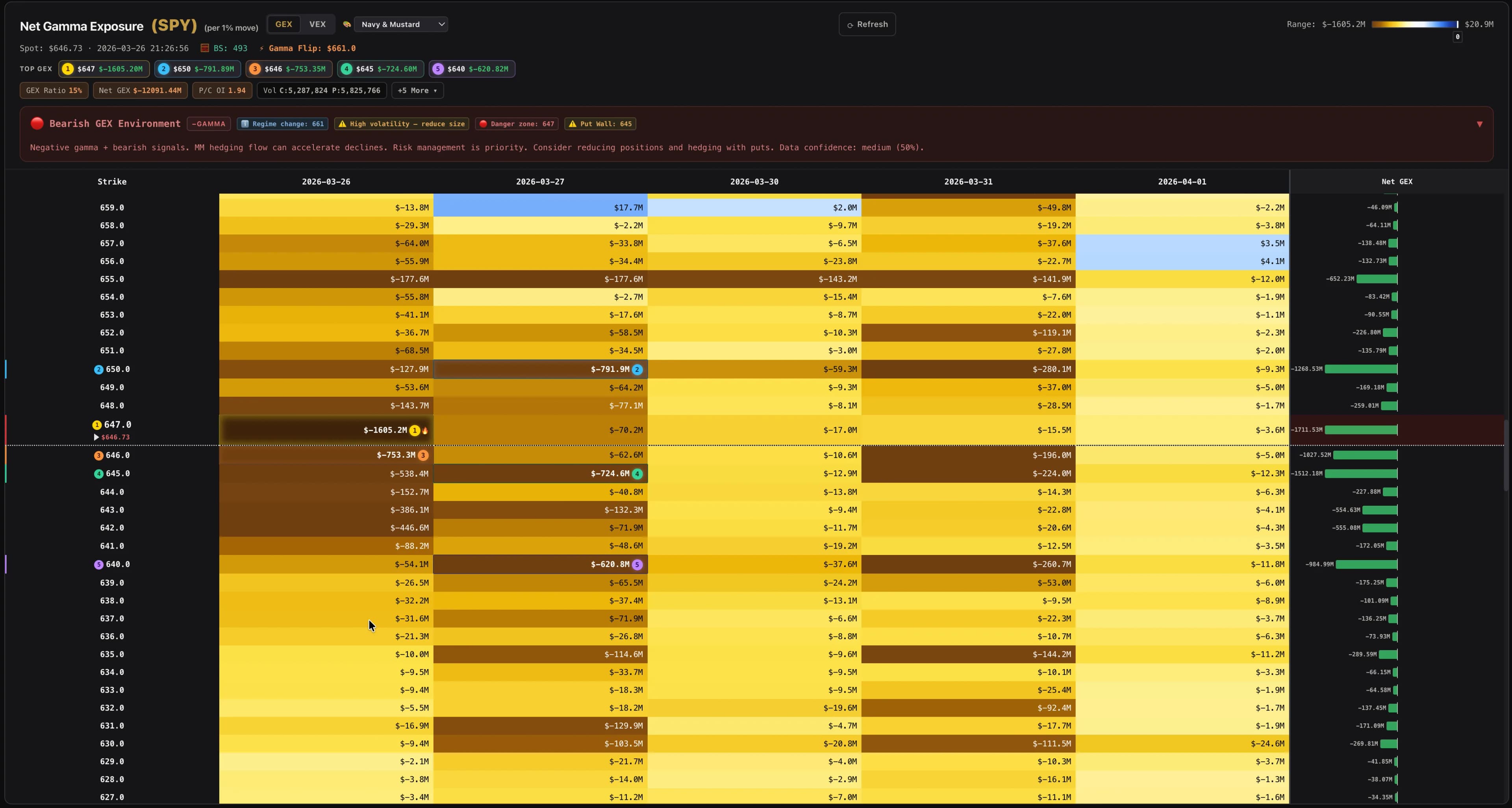
Behind every GEX heatmap cell is a live options chain. The Options Data tab opens that chain in full — every strike and expiration for the loaded ticker, with open interest, session volume, implied volatility, the four core greeks, premium and a per-contract gamma exposure (GEX) value. Sort it, filter it, and trace exactly which contracts are driving each colored cell on the map. The Option Flow views build on the same dataset to surface where positioning is shifting across the day.
In the GEX Heatmap app, click the 📊 Options Data tab to switch to the full options chain view. This table shows every individual contract for the currently loaded ticker — not aggregated like the heatmap, but contract-by-contract detail.
Sortable columns — Click any column header to sort. Sort by OI to find the most popular strikes, by gamma to find the highest hedging impact, or by volume to spot active contracts.
Type filter — Toggle between All, Calls only, or Puts only.
Pagination — Large option chains are paginated at 50 rows per page for performance.
Color coding — Change and Change% values are highlighted green (positive) or red (negative).
The strike price of the options contract. This is the price at which the holder can buy (call) or sell (put) the underlying stock.
Expiry
The expiration date of the contract. Near-term expirations have higher gamma impact. Format: YYYY-MM-DD.
Type
Either "C" (Call) or "P" (Put). Calls give the right to buy; puts give the right to sell.
OI (Open Interest)
The total number of outstanding contracts at this strike/expiry. Higher OI = more dealer hedging activity at this level. This is the primary driver of GEX magnitude.
Volume (Vol)
Number of contracts traded during the current session. High volume relative to OI can indicate new positioning being established.
Last
The last traded price of this options contract.
Change (Chg)
Absolute price change since the previous close.
Change % (Chg%)
Percentage price change since the previous close.
Open
The opening price of the contract for the current trading session.
High
The highest price the contract reached during the current session.
Low
The lowest price the contract reached during the current session.
VWAP
Volume-Weighted Average Price — a more accurate representation of the true trading price than a simple average.
IV (Implied Volatility)
The market's expectation of future price movement, expressed as a percentage. Higher IV = more expensive options = market expects bigger moves.
Delta (Δ)
How much the option price changes per $1 move in the underlying. Calls: 0 to 1, Puts: -1 to 0. Also a rough estimate of the probability of expiring ITM.
Gamma (Γ)
How fast delta changes per $1 move. This is the core of GEX. High gamma at a strike means dealers must hedge aggressively when price approaches.
Theta (Θ)
Time decay — how much value the option loses per day. Always negative for long positions. Near-expiry ATM options have the highest theta.
Vega (V)
How much the option price changes per 1% change in implied volatility. Higher vega = more sensitive to volatility shifts.
Premium
Notional value of open positions: Last Price × OI × 100 (contract multiplier). Displayed in K/M format.
GEX
Each contract's gamma exposure contribution, derived by our proprietary GammaBaba gamma engine from the strike's gamma and open interest, with the sign set by contract type (Call = +, Put = −). Calls show as positive (blue); puts show as negative (red). This is what the heatmap cells aggregate.
Last Updated
Timestamp of the most recent data snapshot for this contract.
The greek columns (Δ, Γ, Θ, V) use the contract's reported values when available. For contracts that don't report greeks, a proprietary GammaBaba options-pricing model supplies an estimate instead (marked with a 🧮 indicator). Each contract uses its own implied volatility — no flat surface is assumed across strikes.
Each row's GEX is that contract's gamma exposure contribution. Our proprietary GammaBaba gamma engine combines the strike's gamma, its open interest and the underlying's price into a single exposure value, then sets the sign by contract type:
Call contracts → positive GEX
Put contracts  → negative GEX
Calls contribute positive GEX (blue).
Puts contribute negative GEX (red).
An optional per-1% scaling normalizes the result to a 1% move in the underlying, so tickers with very different price levels can be compared on a common axis.
The heatmap cell at a given strike/expiry is the sum of all contract GEX values at that strike and expiration. Aggregate those cells across the chain and the structure of the map appears — the call and put walls, and the King Strike where gamma is most concentrated.