📋 Ticker Watchlist & Command Palette
Overview#
Your watchlist is the fastest way to move around GammaBaba. Press Cmd/Ctrl-K to open the command palette, type any optionable US stock or ETF, and load its GEX heatmap in a keystroke. Star the names you trade most, group them into multiple watchlists, and reuse those same lists as filters in the Scanner and flow tools — so one curated set of tickers follows you across every view.
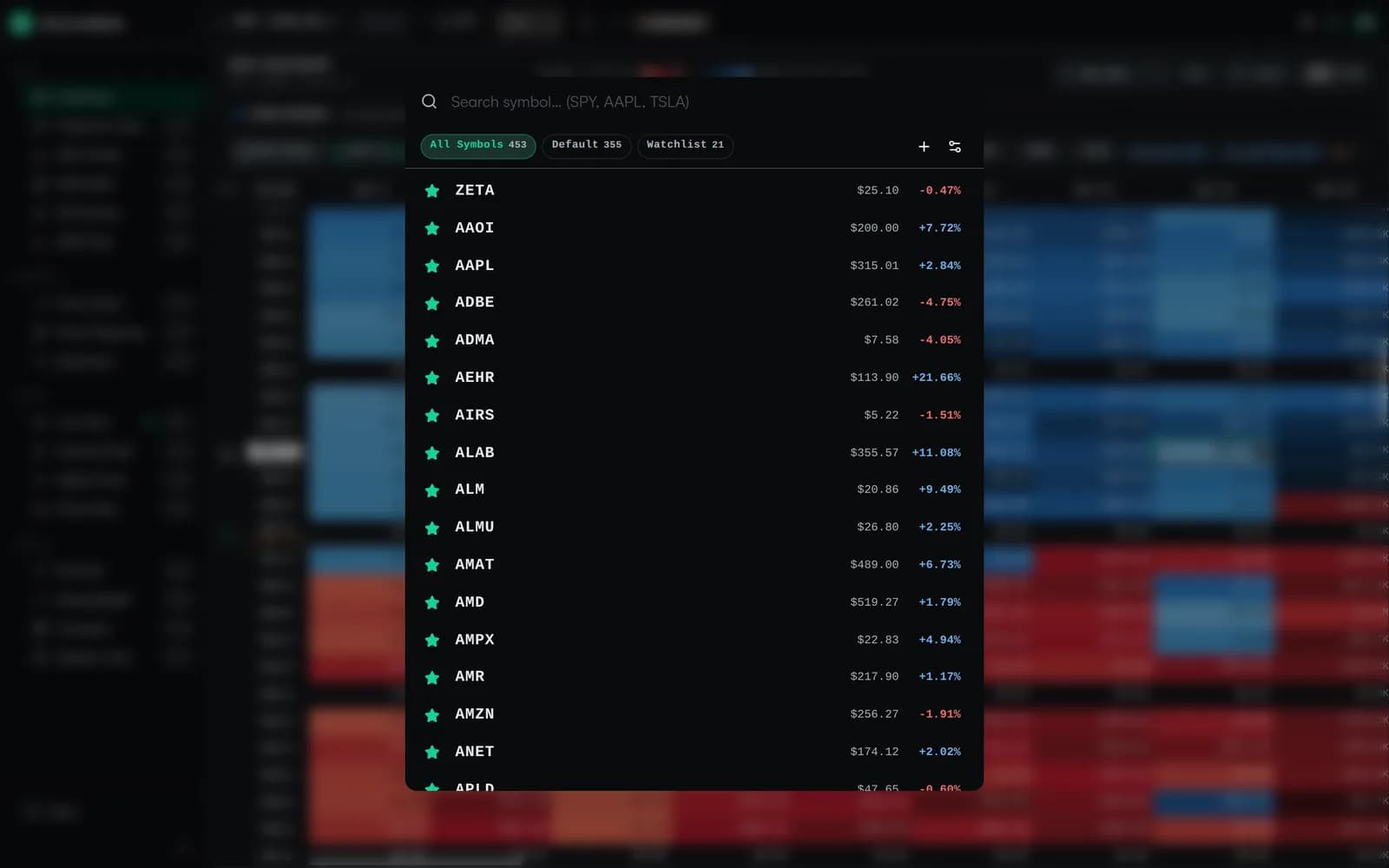
The Command Palette (Cmd/Ctrl-K)#
Press Cmd-K (macOS) or Ctrl-K (Windows/Linux) anywhere in the app to open the symbol search. Start typing a symbol or company name and the list filters live, showing the last price and intraday percentage change for each match. Use the arrow keys to highlight a result and press Enter to load it — no mouse required.
- All Symbols — Search the full universe of optionable US stocks and ETFs.
- Default — The built-in shortlist of widely traded names to get you started.
- Watchlist — Filter the palette down to just your saved tickers.
Starring Favorites & Managing Watchlists#
Click the ★ beside any symbol in the palette to add it to a watchlist, or click it again to remove it. You can keep multiple watchlists — for example one for index ETFs, one for earnings plays, and one for the names you trade daily — and switch between them from the tabs at the top of the palette.
Adding Tickers from the Heatmap#
You can also build your watchlist while you work. When you type a ticker in the main top bar and press Enter, it loads on the heatmap and is automatically saved to your active watchlist — so the names you research naturally accumulate in one place.
Switching & Removing Tickers#
Click any ticker in the sidebar watchlist to load its GEX heatmap. The switch is instant if the data is already cached. Hover over a row and click ✕ to remove it from the list.
Drag-and-Drop Reordering#
Drag any ticker row to rearrange your watchlist. Your custom order is saved to your account and persists across sessions. This lets you keep your most-watched tickers at the top.
King Distance % (K1 & K2)#
The two most important columns in the sidebar are K1 and K2 — the distance from the current spot price to the 1st and 2nd King Strikes:
King Distance % = (King Strike − Spot Price) / Spot Price × 100- ▲ Blue (positive) — King Strike is above the current price.
- ▼ Red (negative) — King Strike is below the current price.
- ● Near 0% — Price is right at the King Strike. Maximum pinning tendency in positive GEX environments.
K1 is the primary (strongest) King Strike. K2 is the second-strongest. Together they show the two biggest GEX concentrations for each ticker.
Sorting the Watchlist#
Click the column headers to cycle through sort modes:
- Symbol — Alphabetical A→Z or Z→A.
- K1 / K2 — Sorted by absolute proximity to the King. Blue entries grouped first, then red. Within each group, closer = higher in the list.
- Third click on any header resets back to your custom drag-and-drop order.
Background Refresh#
Even when you're viewing one ticker, the rest of your watchlist keeps updating quietly in the background:
- Every ticker on the list refreshes on the same schedule you set for the active view — so K1 / K2 stay current for the whole list.
- When you click another ticker, the most recent cached snapshot loads instantly while a fresh one is fetched.
PNG Export#
Click the 📷 button at the top of the sidebar to export your watchlist as a PNG image. The exported image includes all tickers with their K1 and K2 values — useful for sharing or journaling.
Persistence#
Your watchlists are saved to your account so they follow you across reloads, browser restarts, and devices. SPY is always kept as a fallback default.
Supported Tickers#
GammaBaba works with any US-listed stock or ETF that has traded options:
- Major indices — SPY, QQQ, IWM, DIA
- Mega-caps — AAPL, MSFT, GOOGL, AMZN, NVDA, META, TSLA
- Sector ETFs — XLF, XLE, XLK, XLV, ARKK, SMH
- Commodity ETFs — GLD, SLV, USO, TLT
- Popular stocks — AMD, NFLX, JPM, BAC, COIN, SOFI, PLTR
- Small/mid-caps — Any optionable ticker with sufficient OI