🔭 Scanner
The Scanner turns the heatmap workflow inside out: instead of looking up one symbol at a time, you point a set of filters at the entire US options universe — thousands of stocks and ETFs — and surface only the tickers whose GEX structure matches what you’re hunting for. Set your criteria and the matching names drop into a sortable grid you can drill into in one click.
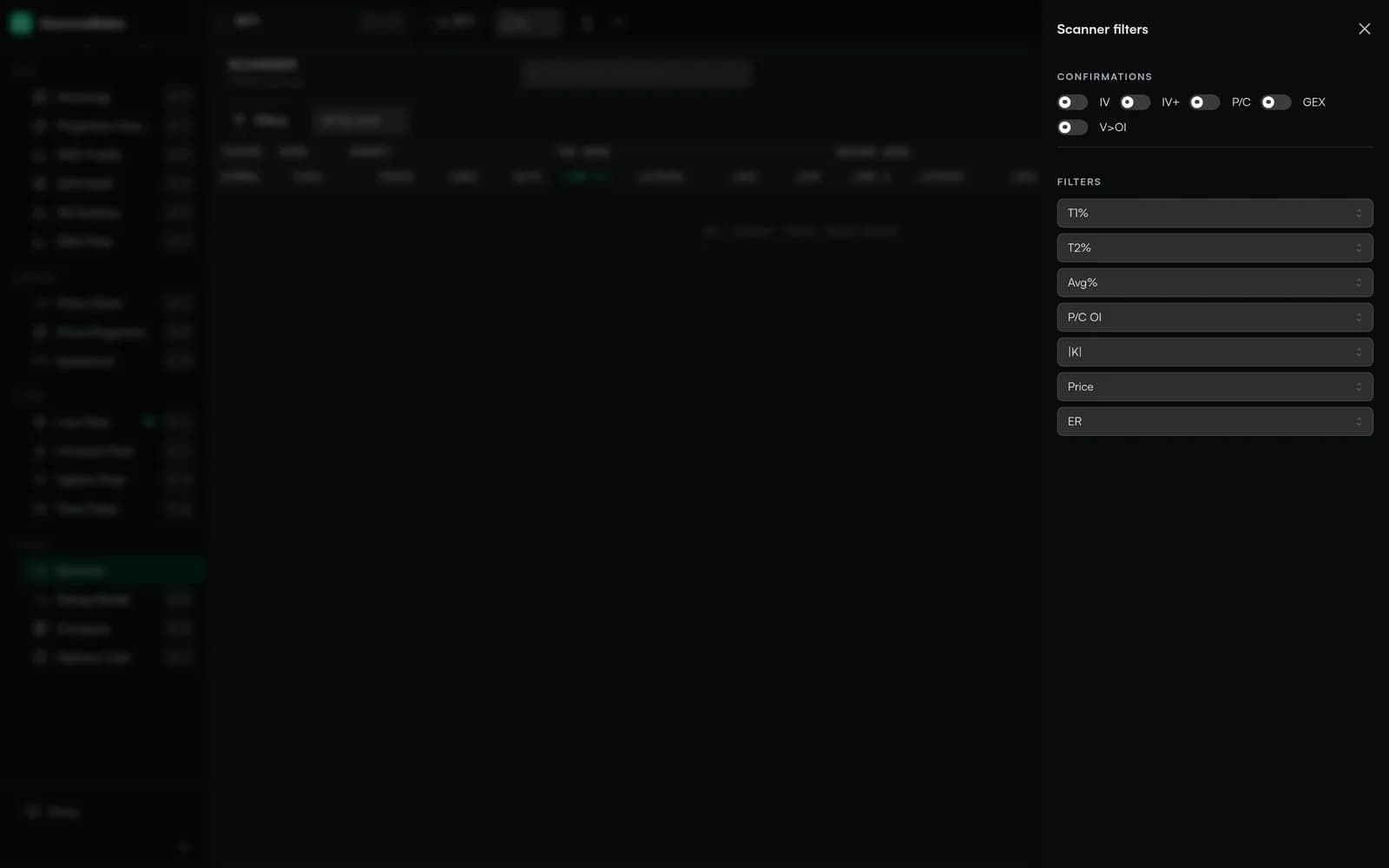
The Filter Panel#
The filter panel is where you describe the kind of setup you want. Each control narrows the universe; leave one untouched and it simply passes everything through. Combine a few and the grid collapses to a short, focused list.
- T1% / T2% / Avg% — distance from spot to the strongest GEX node (Top1), the second-strongest (Top2), or the average of the top nodes. Tighten these to find tickers sitting right on a node — a classic pinning setup.
- P/C OI — put/call open-interest ratio. Screen for put-heavy or call-heavy names by setting a minimum or maximum.
- |K| (King GEX) — magnitude of gamma concentrated at the King strike. A higher floor surfaces names with a dominant, well-defined node rather than diffuse positioning.
- Price — minimum spot price, useful for filtering out very low-priced names.
- ER (Earnings) — include or exclude tickers inside an earnings window, so you can avoid — or specifically hunt for — event-driven positioning.
Confirmation Toggles#
Above the filters sit four confirmation toggles. Each one keeps only the tickers where that metric agrees with the direction of the #1 GEX node, so you can demand multiple independent reads before a name makes the cut:
- IV — King-strike call IV vs. put IV direction.
- P/C — put/call open-interest bias lines up with the node’s direction.
- GEX — the GEX ratio (call share of total |GEX|) agrees with the bias.
- V>OI — today’s volume already exceeds prior open interest at the relevant strike, a sign of fresh positioning.
Columns You’ll See#
- Symbol — Ticker, with one-click links to its Heatmap and Chart.
- Price / Chg% / Ext% — Spot, session change, and extension from a reference level.
- ①Top % — Distance from spot to the #1 GEX node, signed (+ above, − below).
- ①Strike — The strike price of the #1 node.
- Confirmations — Quick badges for agreement with the #1 bias:
- IV — King-strike call IV vs. put IV direction.
- IV+ — King-strike call IV vs. spot-strike call IV.
- P/C OI — Put/call open-interest bias.
- GEX Ratio — Call share of total |GEX|.
OI, Vol, Vol > OI and P/C Ratio#
These four basics drive a lot of the Scanner's columns and confirmations:
- OI (Open Interest) — outstanding contracts at a strike. The main driver of |GEX| magnitude.
- Vol (Volume) — contracts traded today. High Vol relative to OI usually means fresh positioning.
- Vol > OI — contracts where today's volume already exceeds yesterday's OI. A quick filter for brand-new activity.
- P/C Ratio — put vs. call ratio (OI or volume, depending on context). Indices normally skew > 1 on OI because of structural hedging.
Sorting the Results#
Once the filters have narrowed the universe, sorting orders what’s left so the best candidates rise to the top:
- Click any sortable column header to toggle asc / desc.
- Sort by |①Top %| to find tickers closest to their strongest node — candidates for pinning behavior.
- Sort by Ext% to surface stretched names.
One-Click Drill-Downs#
Every row has compact buttons that open the ticker's full Heatmap or Chart view in a new tab — useful for a quick visual check without losing your place in the scanner.